e-Attendance
Please follow the steps to complete your e-attendance
- Click this link
- Get your Student ID
- Class ID: 55970
- User Guide
Prerequisite
- Signup with LabonDemand
- Go to https://alh.learnondemand.net.
First time users:
- Click the Register with Training Key button
- Input your training key in the Register with a Training Key field
- Click Register
- This opens a registration page to create a user account. Input your registration information, and then click Save
- Saving your user registration opens your enrollment
Please launch a test lab to check for connectivity issues and read through the instructions in the lab interface to become familiar with using it. Once class starts Launch buttons will appear beside the lab modules.
AZ 104 - Checklist
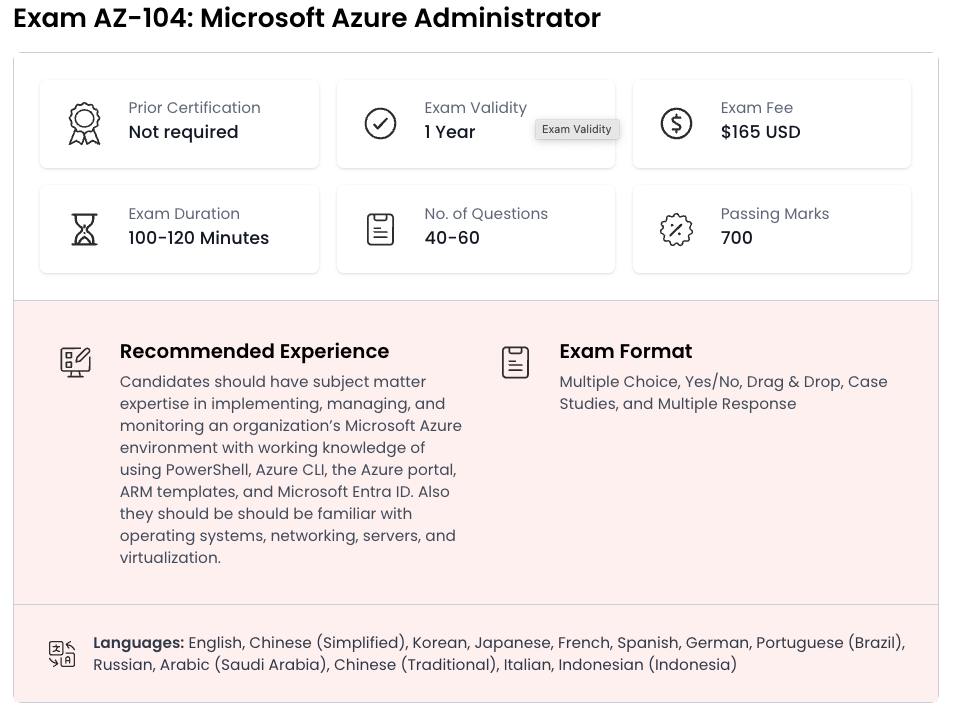
As an Azure administrator, you often serve as part of a larger team dedicated to implementing an organization’s cloud infrastructure. You also coordinate with other roles to deliver Azure networking, security, database, application development, and DevOps solutions.
You should be familiar with:
- Operating systems
- Networking
- Servers
- Virtualization
In addition, you should have experience with:
- PowerShell
- Azure CLI
- The Azure portal
- Azure Resource Manager templates
- Microsoft Entra ID